Mobile Application Development of Any Complexity: Production Experience and Operational Approach
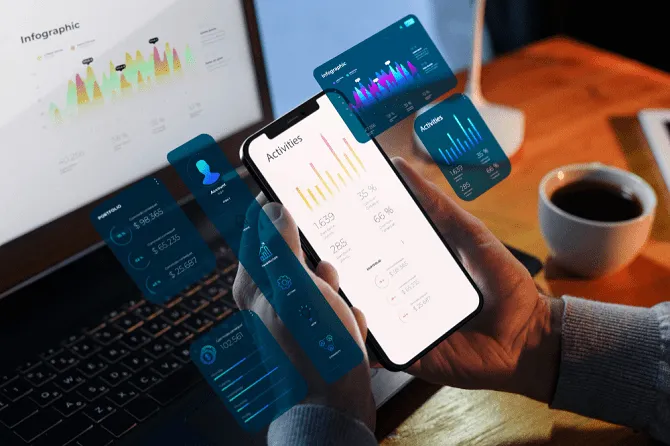
When a business decides to build a mobile application, the conversation usually starts with screens: what the app looks like, how users navigate, which buttons go where. That is a natural starting point, but it is also an incomplete one. In production, a mobile application is rarely a standalone artifact. It is the visible surface of a larger system that includes backend services, third-party integrations, payment and identity providers, data storage, monitoring, and the operational processes that keep all of it running after launch.
At OneDev we build and operate mobile products end to end, and the most consistent lesson from real projects is this: the complexity that determines success or failure is almost never in the UI layer. It lives in the parts users never see. This article explains how we approach mobile development of any complexity from an engineering and operational standpoint, what actually drives cost and risk, and how to avoid the mistakes that quietly accumulate into expensive problems.
A Mobile App Is a System, Not a Screen Set
Every serious mobile product depends on services that run somewhere else. Authentication, data synchronization, push notifications, file uploads, payments, analytics — all of these require a backend and a set of integrations. The mobile client is one node in that system, and often the least controllable one: it runs on thousands of devices, across different OS versions, network conditions, and user behaviors that you cannot predict.
This matters because the boundaries between client and server are where most production incidents originate. A field that the server sends as null, a timestamp the device reports incorrectly, a boolean serialized in an unexpected format, an API route that silently changes behavior — none of these are visible in a design mockup, but each can break the experience for real users. Designing the contract between the app and its backend carefully, and validating it under realistic conditions, is more important than any single screen.
What "Any Complexity" Actually Means
Complexity in mobile projects is not measured by the number of screens. It is measured by the number of states a system can be in and the number of ways those states interact. A few factors drive it more than anything else:
- Offline and unreliable networks. If the app must work without a stable connection, you need local storage, conflict resolution, and synchronization logic. This is one of the largest sources of hidden complexity.
- Real-time data. Live updates, location tracking, chat, or streaming require persistent connections (WebSockets or similar) with heartbeat, reconnection, and back-pressure handling — not just request/response calls.
- Payments and billing. Money flows demand idempotency, reconciliation, and handling of failed or cancelled transactions. A user closing a payment form is normal behavior, not an error, and the system must treat it that way.
- Integrations. Each external provider (payment gateway, mapping service, identity provider, government API) adds its own failure modes, rate limits, and contractual quirks.
- Multi-platform delivery. iOS, Android, and their fragmented ecosystems (Google Play, App Store, alternative stores) each impose their own review rules, permission models, and build requirements.
A simple-looking app with offline sync and payments is genuinely more complex than a visually rich app that only displays server data. Estimating effort by counting screens is one of the most common ways projects go over budget.
Platform Strategy: Native, Cross-Platform, and the Real Trade-offs
One of the first questions every client asks is whether to build native (separate iOS and Android codebases) or cross-platform (a shared codebase using a framework like Flutter or React Native). There is no universal answer; the right choice depends on the product's demands.
Our practical guidance: choose cross-platform when the app is primarily about displaying and submitting data, and the feature set is shared across platforms. Choose native when the product relies heavily on platform-specific capabilities — background processing, advanced camera or sensor use, complex notifications, or strict performance requirements. The decision should be driven by the hardest 20% of features, not the easy majority.
Store Compliance and the Hidden Cost of Distribution
Getting an app built is only half the work; getting it accepted and keeping it live is the other half. App Store and Google Play review processes change regularly, and rejections often arrive for reasons unrelated to functionality: permission declarations, privacy disclosures, foreground service usage, or payment policy compliance.
Equally important is the build and release process itself. A broken or interrupted build can produce an artifact that looks complete but crashes on startup or fails store validation. Reproducible builds, version discipline, and pre-submission checklists are not bureaucracy — they are what prevent a Friday release from becoming a weekend outage.
The Operational Layer: What Happens After Launch
The moment an app goes live, you inherit a permanent obligation: keeping it working across an uncontrolled fleet of devices. This is where the operational mindset separates products that stay healthy from those that slowly degrade.
Operationally mature mobile systems share a few traits. They have monitoring that detects when data stops flowing, not just when servers go down — an app can appear "up" while silently failing to ingest user data. They have crash reporting and structured logs that let engineers diagnose device-specific issues without access to the device. They handle backend changes gracefully, because you cannot force every user to update immediately, which means old app versions must keep working against newer servers. And they treat the backend infrastructure — capacity, connection limits, restart policies — as part of the product, because a backend that falls over under load takes every client with it.
We also design for graceful degradation. Networks fail, providers have outages, and devices report bad data. A robust app expects this: it validates inputs, filters unreliable values, retries safely, and never assumes the happy path. The difference between a fragile and a resilient app is mostly the volume of defensive engineering invested in these edges.
Common Mistakes We See Repeatedly
- Estimating by screens. Effort lives in states and integrations, not visuals.
- Trusting client-supplied data. Device clocks, timezones, and locale settings are routinely wrong; server-side timestamps and validation are mandatory.
- Skipping the integration contract. Undocumented or loosely typed APIs cause whole features to fail silently in production.
- Ignoring the release pipeline. No reproducible builds, no version discipline, no rollback plan.
- Treating monitoring as optional. Without ingestion and crash monitoring, you learn about failures from angry users, hours or days late.
Conclusion
Mobile applications of any complexity are best understood as operational systems rather than finished interfaces. The screens are the part everyone sees, but the durability of the product comes from the contract with the backend, the discipline of the release process, the resilience of the integrations, and the monitoring that keeps it all honest after launch. Building with that perspective from day one is what separates an app that demos well from one that runs reliably for years. If you are planning a mobile product — or already operating one that needs to scale and stabilize — the team at OneDev would be glad to review your requirements, map the real complexity, and discuss a pragmatic approach with you.